

What is on your shelf?
Here is your drink.
Tell SIP IT what is on your shelf. It shows the drinks you can make right now, plus what to pick up to make more.
No account needed. Opens in your phone's browser. Adults 21+ only. Please drink responsibly.

From your shelf to your glass
- Step 1
Add your bar
Add the bottles, mixers, citrus and syrups you have.
- Step 2
See what you can make
Drinks you can make now, and the ones you are one or two ingredients away from.
- Step 3
Make it, step by step
A clear ingredient list, then one step at a time in large text.
Your host is Alibi
Alibi, your host at the Velvet Room, helps you choose a drink that feels like you.
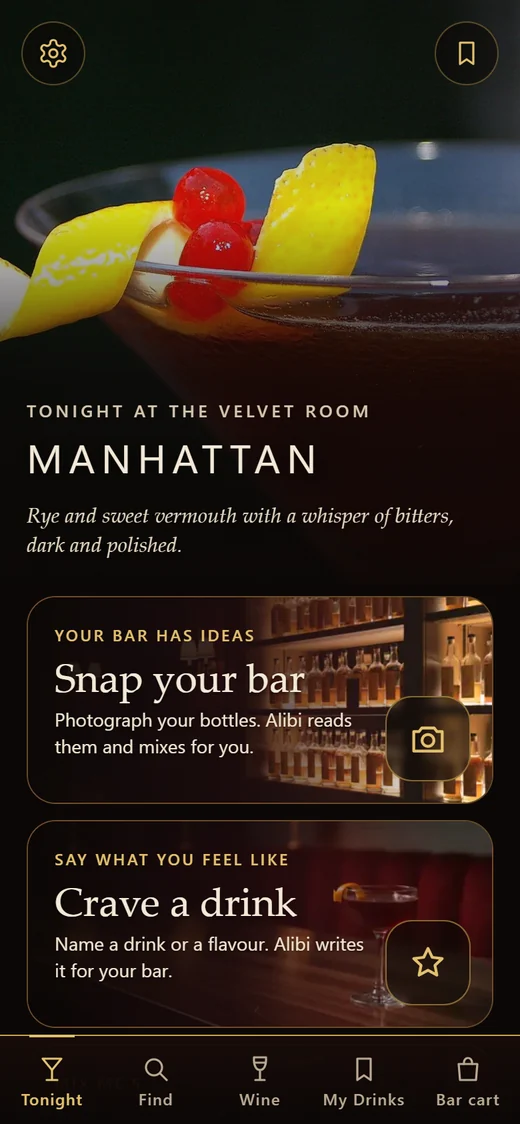
Tonight at the Velvet Room
Open the app to tonight's drink and your bar's ideas.
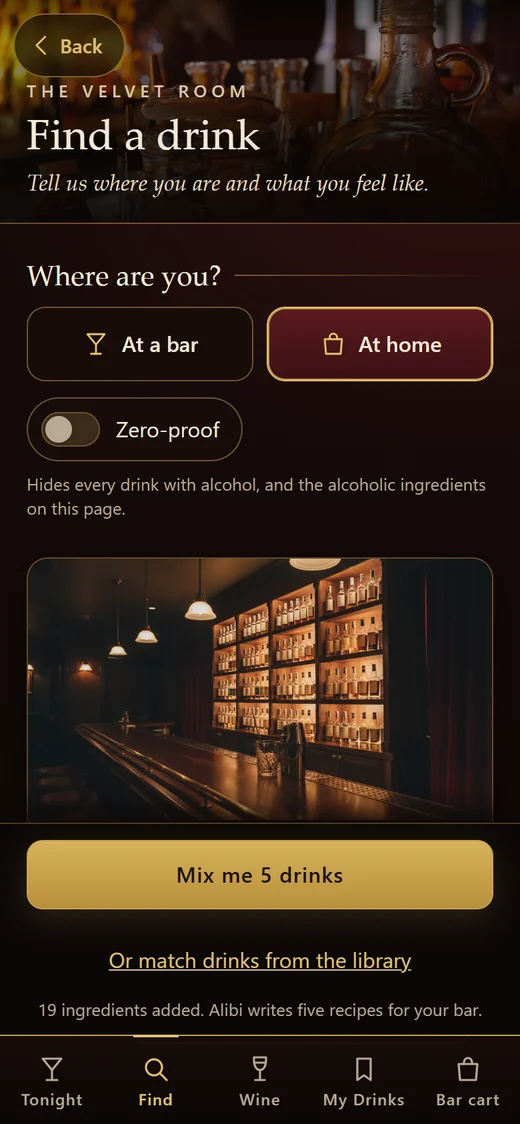
Tell it where you are
At home or at a bar. Add what is on your shelf and see what you can make now.
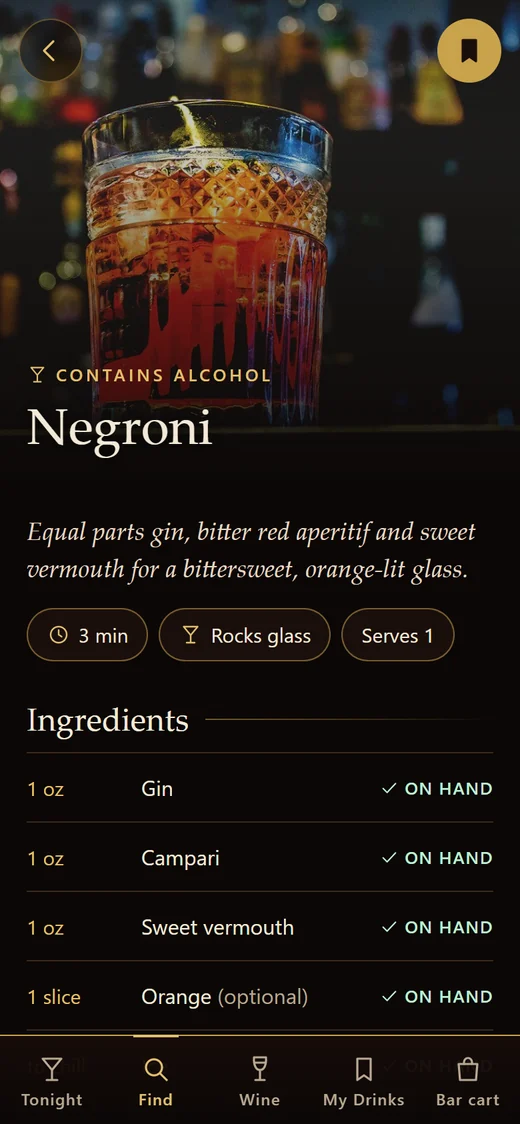
From your shelf to your glass
Every recipe shows what you have on hand and what is missing.
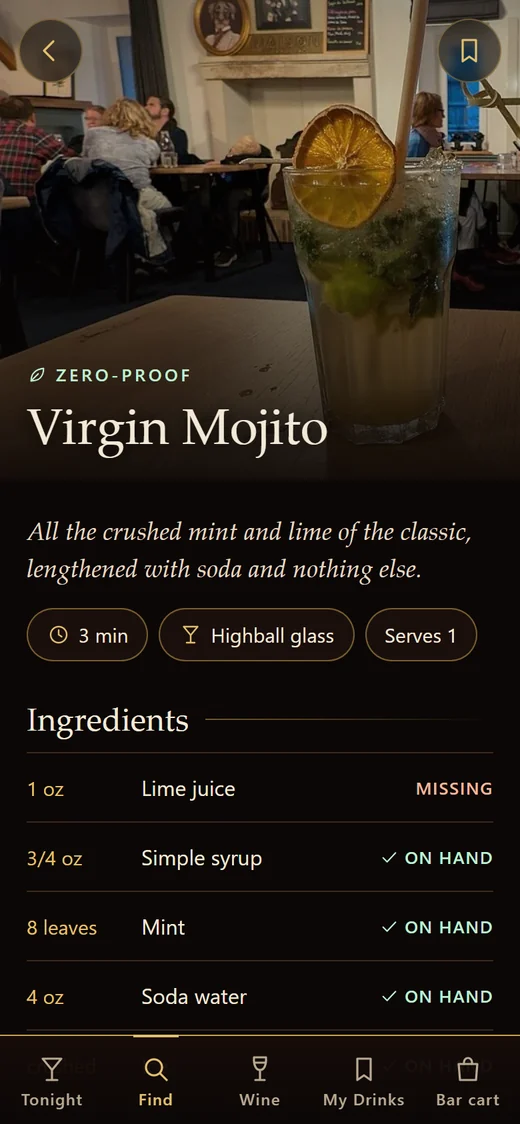
Zero-proof switch
Turn it on and see only drinks made without alcohol.
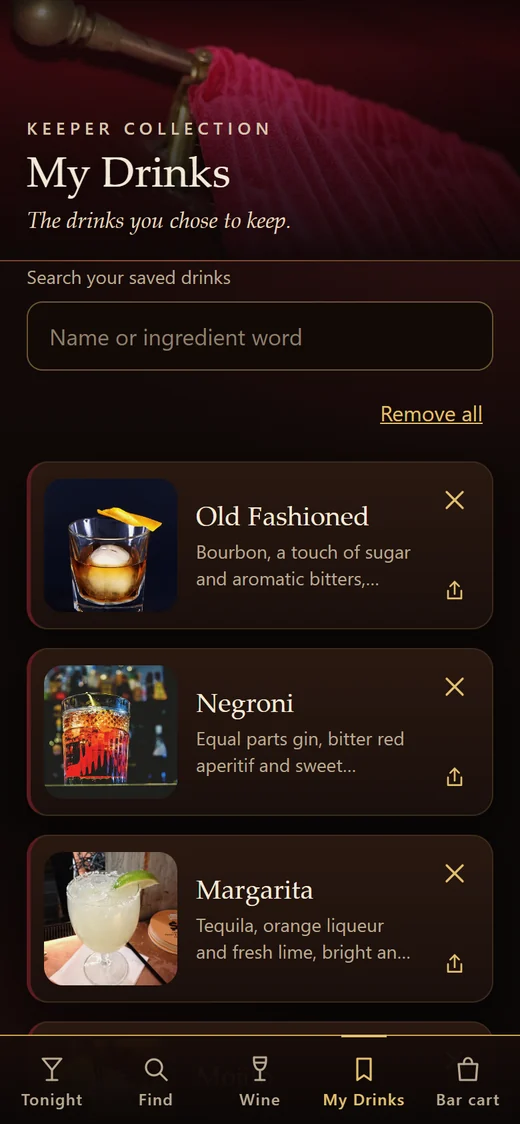
My Drinks
Save the drinks you love. They stay on your device.
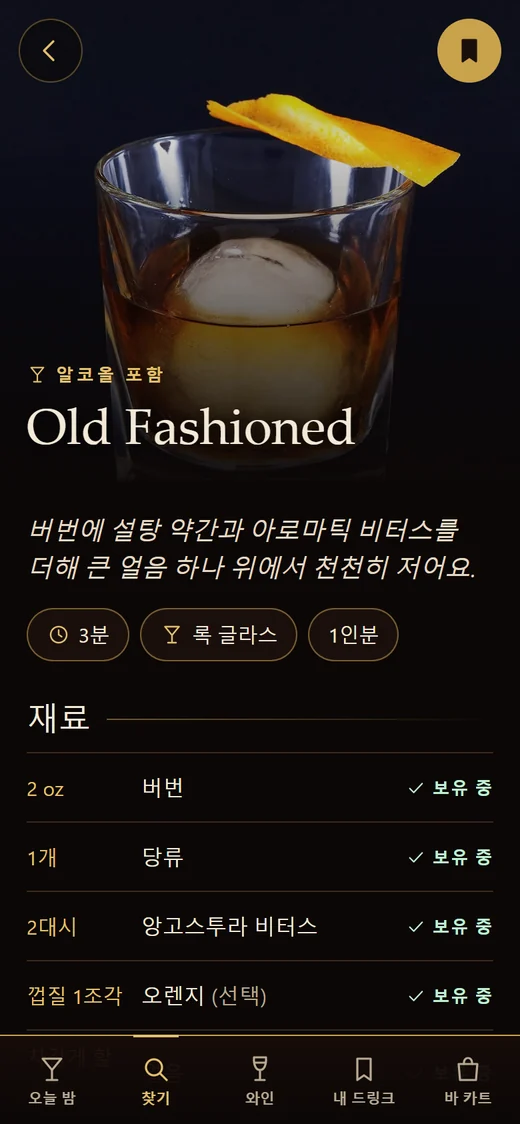
15 languages
Use SIP IT in your own language, including Italian, Korean and right-to-left Arabic.


- Step-by-step making modeOne step at a time, with large text that is easy to read at the bar.
- A wine areaSnap a bottle or a menu page for tasting notes, food pairings and serving tips. Information only.
- Ask Alibi, with your voiceAlibi, your host at the Velvet Room, helps you choose a drink. Type it or say it.
- Share with friendsSend a drink as a picture card or a link, or start a friends round with one link and no sign-up.
- Community drinksShare a drink of your own and browse drinks shared by others. Report, block or remove your share any time.
- Allergy filtersLeave out drinks with ingredients you need to avoid. Always check labels yourself, too.
- Bar cartAdd missing ingredients to your bar cart, a simple shopping list.
- No account neededNo sign-up. Your bar, My Drinks and bar cart stay on your device. The basics work offline.
Screens from the SIP IT app. Drink photos are used under open licences and credited in the app (Photo credits). Lounge photo: "Cozy vintage lounge with antique decor" by Magda Ehlers on Pexels (Pexels License).
Good to know
Do I need an account?
No. There is no sign-up. Your bar, My Drinks and bar cart stay on your device, and the basics work offline.
Do I need to install anything?
No. SIP IT opens in your phone's browser. On iPhone, open it in Safari, tap Share, then Add to Home Screen to keep it with your other apps.
Does SIP IT sell alcohol?
No. SIP IT shares recipes and drink ideas only. It does not sell or deliver alcohol.
Is there something for guests who don't drink?
Yes. Turn on the zero-proof switch and SIP IT shows only drinks made without alcohol, so everyone has something good in their glass.
What languages does it speak?
15 languages, including Italian, Korean and right-to-left Arabic.
Who is SIP IT for?
Adults of legal drinking age, 21 and older. Please drink responsibly and never drink and drive.
How do I delete my data?
See Delete my data for the steps.
What are we pouring tonight?
Tell SIP IT what is on your shelf. It shows the drinks you can make right now.